Sign up with Google
 Sign in with Zoho
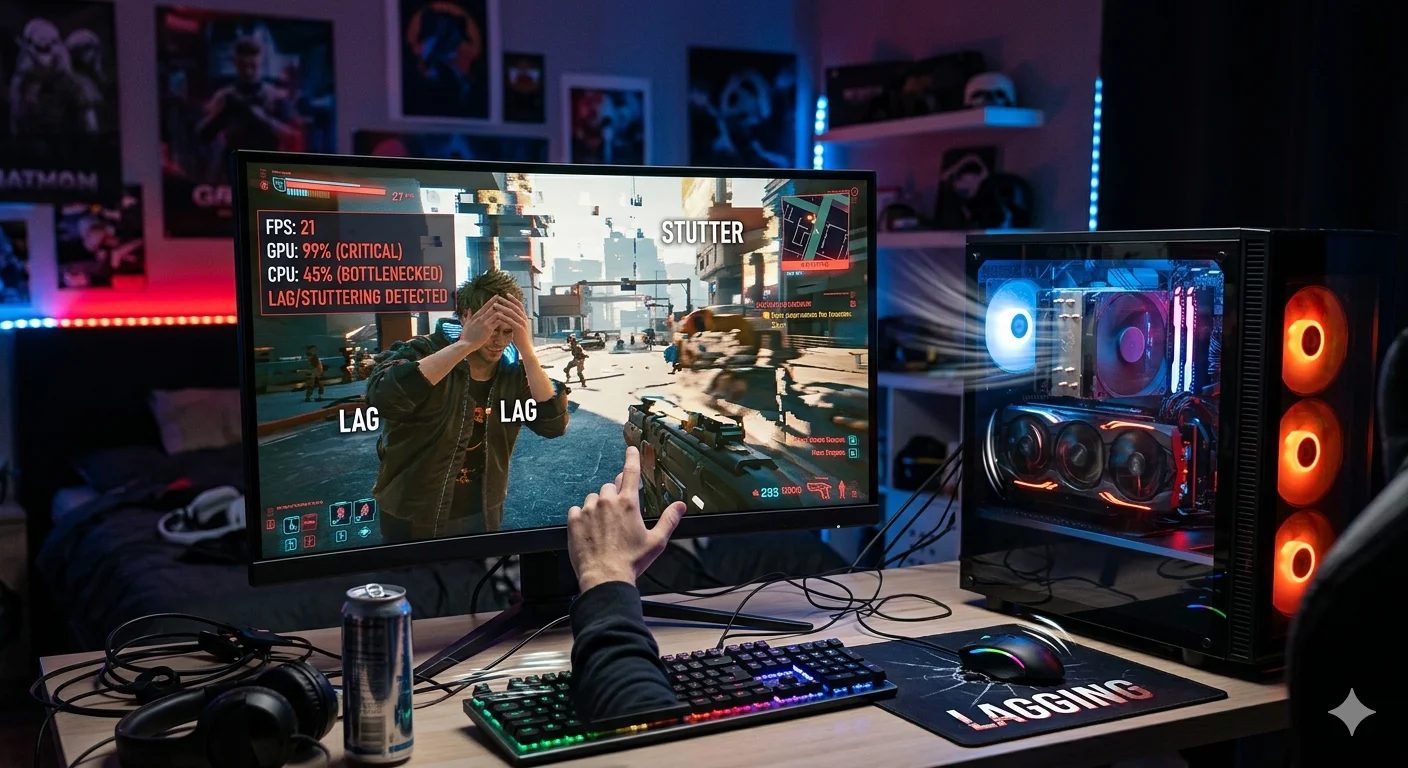

Whether you are building a brand-new gaming rig or troubleshooting a sluggish workstation, a bottleneck calculator is one of the most powerful tools in your arsenal. In this comprehensive guide, you will learn exactly what a PC bottleneck is, how to use a bottleneck calculator to diagnose your system, and actionable steps to eliminate performance-killing hardware mismatches.
What Is a PC Bottleneck?
A bottleneck occurs when one component in your system is significantly weaker than the others, causing it to limit overall performance. The most common bottleneck scenario involves a mismatch between the CPU (Central Processing Unit) and the GPU (Graphics Processing Unit). When your CPU cannot feed data to your GPU fast enough, your GPU sits idle — wasting potential frames per second (FPS) and computing power.
Bottlenecks can also occur in RAM, storage (NVMe vs HDD), or your power supply. However, the CPU-GPU relationship is the most impactful for gamers and content creators alike.
Why Use a Bottleneck Calculator?
Manually identifying bottlenecks requires monitoring tools, benchmark data, and technical expertise. A bottleneck calculator simplifies this entire process into a few clicks. By entering your CPU model, GPU model, RAM specification, and intended use case, the calculator instantly computes a bottleneck percentage. Here is why it matters:
• Save money by identifying components that do not need upgrading
• Maximise FPS without overspending on unnecessary hardware
• Get tailored upgrade recommendations based on your specific setup
• Understand your system balance before buying new parts
• Reduce frustration caused by unexplained lag and stuttering
How Does a Bottleneck Calculator Work?
A bottleneck calculator compares the relative performance benchmarks of your CPU and GPU using real-world data. It factors in clock speed, core count, thread count, VRAM, and typical workload demands. The result is expressed as a percentage — a bottleneck of 0–10% is considered healthy, while anything above 20% signals a significant hardware mismatch that is costing you performance.
Modern bottleneck calculators also account for resolution. At 1080p, games are more CPU-dependent; at 4K, the GPU becomes the primary bottleneck. This resolution-aware analysis makes the tool far more accurate than basic benchmark comparisons.
CPU Bottleneck vs GPU Bottleneck — What Is the Difference?
CPU Bottleneck
A CPU bottleneck means your processor cannot keep up with your graphics card. Symptoms include low CPU usage combined with a GPU that sits below 90–95% utilisation. You will typically see this in CPU-heavy games like strategy titles, open-world RPGs, or competitive shooters where frame rates depend heavily on game logic calculations.
GPU Bottleneck
A GPU bottleneck is actually desirable in most gaming scenarios. It means your graphics card is the limiting factor — which is exactly where you want the limitation to be. A GPU bottleneck confirms your CPU is not holding back your graphics card, meaning you are getting maximum value from your GPU investment.
How to Use a Bottleneck Calculator — Step by Step
Using a bottleneck calculator is straightforward. Follow these steps to get accurate results:
1. Select your CPU model from the dropdown list (e.g., Intel Core i5-13600K or AMD Ryzen 5 7600X)
2. Select your GPU model (e.g., NVIDIA RTX 4070 or AMD RX 7800 XT)
3. Enter your RAM amount and speed
4. Choose your target resolution (1080p, 1440p, or 4K)
5. Select your primary use case (gaming, video editing, streaming, or general use)
6. Hit Calculate and review your bottleneck percentage and upgrade suggestions
How to Fix a PC Bottleneck
Once the bottleneck calculator identifies your weak link, fixing it becomes straightforward. If you have a CPU bottleneck, upgrading to a faster processor with more cores or higher single-core performance will deliver immediate results. For GPU bottlenecks in gaming scenarios, simply ensure your GPU is operating at full capacity — this usually means upgrading your CPU if utilisation is below 90%.
Other effective fixes include overclocking your CPU or GPU within safe limits, upgrading to faster DDR5 RAM, switching to an NVMe SSD for faster asset loading, or adjusting in-game settings to shift the processing load from CPU to GPU.
Who Should Use a Bottleneck Calculator?
A bottleneck calculator is essential for the following users:
• Gamers planning a new build or upgrade
• PC enthusiasts swapping individual components
• Content creators running video editing or 3D rendering software
• Streamers looking to balance game performance with encoding overhead
• Anyone experiencing unexplained frame drops or system stuttering
Conclusion
A bottleneck calculator is an indispensable free tool that takes the guesswork out of PC building and upgrading. By identifying the exact component limiting your system's potential, it empowers you to make smarter hardware decisions, spend your upgrade budget wisely, and extract every last frame from your existing setup. Use our bottleneck calculator today and discover exactly what your PC is truly capable of.
Frequently Asked Questions (FAQs)
Q1. What is a bottleneck calculator and what does it do?
A bottleneck calculator is a free online tool that analyses your PC components — primarily your CPU and GPU — and calculates how well they are matched. It outputs a bottleneck percentage that tells you whether one component is significantly holding back another, and provides upgrade recommendations to improve your system's overall performance.
Q2. Is a 10% bottleneck acceptable for gaming?
Yes, a bottleneck of 10% or less is considered perfectly acceptable and is often unavoidable in any hardware pairing. Most experienced PC builders aim for a bottleneck under 10%. A bottleneck between 10–20% is still manageable, while anything above 20–25% will result in a noticeable performance impact and is worth addressing through an upgrade.
Q3. Can a bottleneck calculator tell me exactly which part to upgrade?
Yes. A good bottleneck calculator not only identifies the percentage mismatch between your CPU and GPU but also recommends specific upgrade paths. For example, it may suggest upgrading from an Intel Core i5-10400 to an i5-13600K to eliminate a CPU bottleneck when paired with an RTX 4070, providing estimated performance gains after the upgrade.
Q4. Does resolution affect my bottleneck percentage?
Absolutely. Resolution has a major impact on which component acts as your bottleneck. At 1080p, games place more demand on the CPU, making CPU bottlenecks more common. At 1440p and especially 4K, the workload shifts heavily to the GPU, which reduces CPU bottleneck percentage and increases GPU utilisation. Always use your target gaming resolution when running a bottleneck calculation for accurate results.
Q5. Is it free to use a bottleneck calculator?
Yes, most bottleneck calculators available online — including ours — are completely free to use with no registration required. You simply enter your hardware details, select your use case and resolution, and receive an instant bottleneck analysis. There are no hidden fees, and results are generated in seconds based on up-to-date benchmark data.