Sign up with Google
 Sign in with Zoho

Let's Be Honest — You Can't Watch Your Kid's Screen 24/7
Your kid is 9 years old. They have a tablet. You gave it to them so they could learn, maybe watch some YouTube, do homework. Sounds fine.
But here's the thing — the internet doesn't stay in the "homework" lane. One curious search leads to another. A random ad pops up. A stranger sends a message in some app you've never heard of. And before you know it, your child has stumbled into content that no child should be seeing.
That's not a horror story. That's Tuesday for most families in 2026.
This article is about why parental control software has gone from "nice to have" to genuinely necessary — and why SiyanoAV Total Security is one of the easier ways to actually set it up without feeling like an IT professional.
The Internet in 2026 Is Not What It Was
Look, the internet has changed. A lot.
Five years ago, a parental control app mostly meant blocking a few adult websites. Done. Easy. But now? Kids are on TikTok, Discord, Roblox, Minecraft servers with strangers, random WhatsApp groups. There's AI-generated content everywhere. Deepfakes exist. Scam messages look completely real.
The threats your child faces online today are not the same ones you were thinking about when you bought that tablet.
And the scary part — most kids are more tech-savvy than their parents. They know how to clear browser history. They know what incognito mode is. A 12-year-old can bypass a basic router block in about four minutes if they want to.
So "just monitor them" doesn't really work anymore. You need tools that actually work in the background, without turning into a full-time surveillance job.
What Parental Control Software Actually Does (The Useful Stuff)
People hear "parental control" and think it's just about blocking websites. That's honestly a small part of it.
Real parental control software in 2026 does a few things that actually matter:
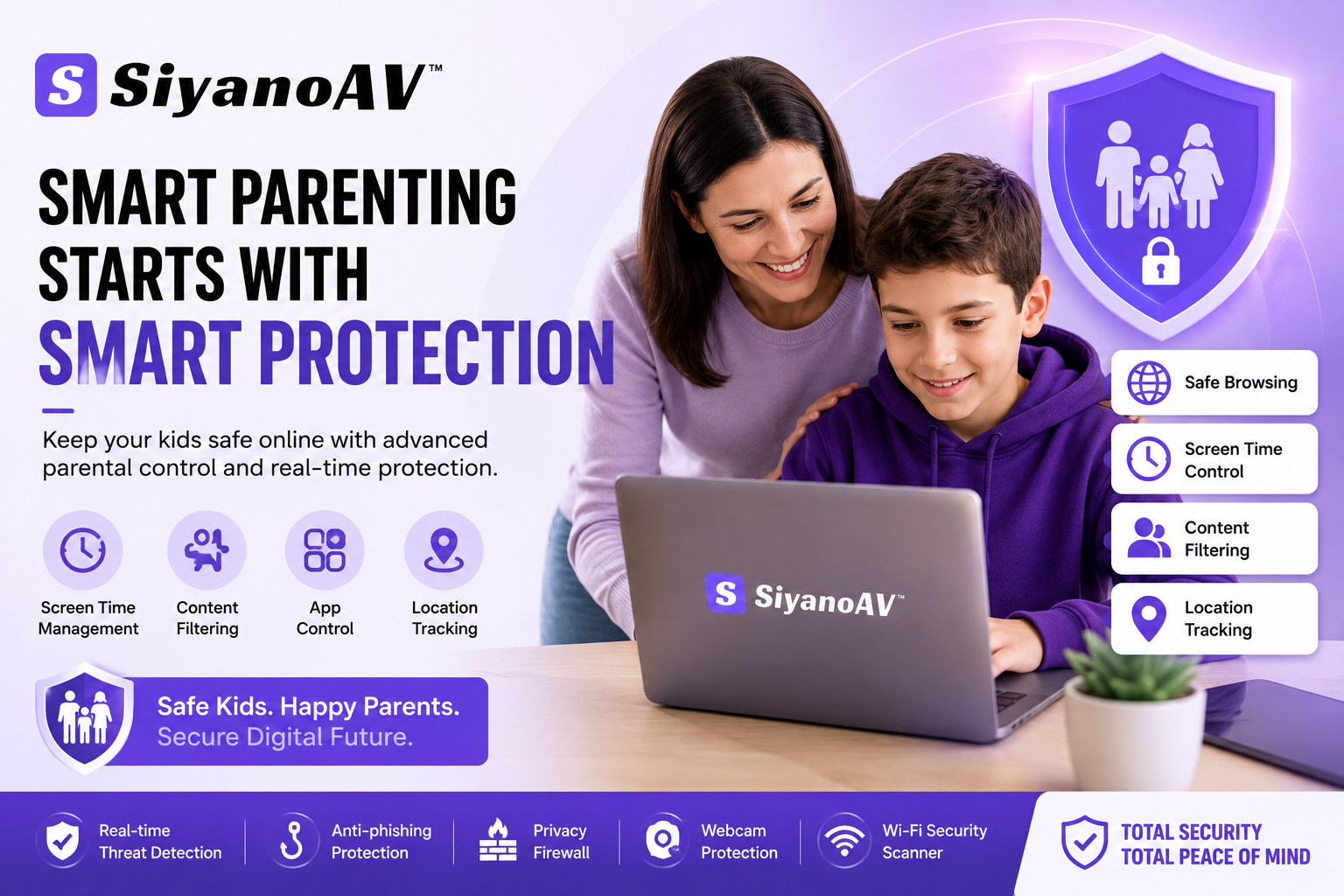
Screen time management. Kids aren't going to put the phone down voluntarily. That's not a character flaw — it's just how apps are designed. Being able to set daily limits per device, per app, means you're not fighting with them every night at dinner.
App control. This one's underrated. Knowing which apps are installed, which ones are being used the most, and being able to block specific ones remotely? That's actually useful. Especially when a new app suddenly appears on your kid's phone.
Location tracking. Some parents want this, some don't. But for younger kids especially, knowing where they are after school gives real peace of mind.
The best parental control tools do all of this without requiring you to sit and monitor every 10 minutes. That's the whole point — set it up once, and it just runs.
So Where Does SiyanoAV Total Security Fit In?
Here's the thing about a lot of parental control apps — they're either too simple (basically just a timer) or way too complicated (you need a tech background to even configure them).
SiyanoAV Total Security sits in a genuinely useful middle ground.
It's a full cybersecurity suite — so it's handling antivirus protection, real-time threat detection, anti-phishing protection, and firewall alongside the parental controls. You're not buying a separate app just for the kids. It's already inside the security software you should have running anyway.
The parental control dashboard is straightforward. You can set screen time limits, filter content by category, track which apps are being used, and get alerts if something suspicious happens. It works on Windows. The interface doesn't require any particular technical knowledge to use.
Honestly, the setup takes maybe 15 minutes if you've never done it before. That's the kind of thing that actually matters for parents who don't have time to become cybersecurity experts.
What SiyanoAV Total Security Covers (Quick Overview)
It's not just a parental control tool. That's the point. It's a complete cybersecurity solution that includes parental controls — which is actually what most families need.
"I Just Use the Free Stuff" — Here's What That Misses
A lot of parents rely on built-in tools. Windows has some basic family settings. Routers sometimes have parental controls. Google Family Link exists.
And look — those tools aren't useless. But they have real gaps.
Router-level controls don't work when kids switch to mobile data. Google Family Link only covers Google services properly. Built-in Windows parental features are basic and often easy to work around. None of them give you real threat detection, ransomware protection, or any kind of privacy firewall alongside the parental features.
The truth is, free tools work until something goes wrong. And with kids online all day, "something going wrong" is a question of when, not if.
One Parent's Honest Experience
"I'd been meaning to set up parental controls for two years. Every app I looked at either needed separate subscriptions for security features or was just too confusing. SiyanoAV was the first one where I actually finished the setup in one sitting. The antivirus runs quietly, the parental dashboard is straightforward, and I haven't had to touch it much since the first week. That's all I needed."
— A parent of two, speaking from experience, not from a press release
A Practical Suggestion
If you've been putting off setting up proper parental controls — or if you're running a basic antivirus with no family features — it's worth looking at what SiyanoAV Total Security offers.
Not because it's perfect. Nothing is. But because it covers the gap between "I have an antivirus" and "my kids are actually protected online" in one product, without needing a tech degree to use it.
You can check out SiyanoAV Total Security and see if it fits your setup. Start with the free trial if you're not sure — spending 15 minutes trying it is a much better use of time than spending an evening wondering what your kid was looking at.
FAQs
Does SiyanoAV parental control work on phones and tablets? The primary coverage is for Windows PCs. Check the official site for current multi-device support details.
Can my child bypass the parental controls? SiyanoAV uses system-level protection that's harder to bypass than basic browser extensions or router settings. That said, no software is completely foolproof — it's a tool, not a replacement for conversations.
Will parental control software slow down my PC? SiyanoAV is built to run with minimal performance impact. The PC optimizer tool actually helps keep things running smoothly.
What age group is parental control software meant for? Most useful for children aged 6–16. For older teens, the conversation matters more than the controls — but the threat detection features remain useful for everyone.
Is it hard to set up? No. The setup process is straightforward, and the dashboard is designed for regular users, not IT professionals.
Does it block specific apps like TikTok or Discord? Yes. You can manage and restrict individual apps from the parental control dashboard.
Can I monitor multiple devices with one account? Check the SiyanoAV website for current multi-device licensing options, as these can change with new versions.
Wrapping Up
The internet isn't getting safer on its own. And kids aren't getting less curious. That's just the reality of 2026.
Parental control software isn't about spying on your child — it's about setting up guardrails so they can explore safely without stumbling into something genuinely harmful. SiyanoAV Total Security makes that easier than most options out there, while also handling the broader cybersecurity side of things at the same time.
You don't have to be perfect about digital safety. You just have to take one practical step in the right direction.
This might be it.