Sign up with Google
 Sign in with Zoho

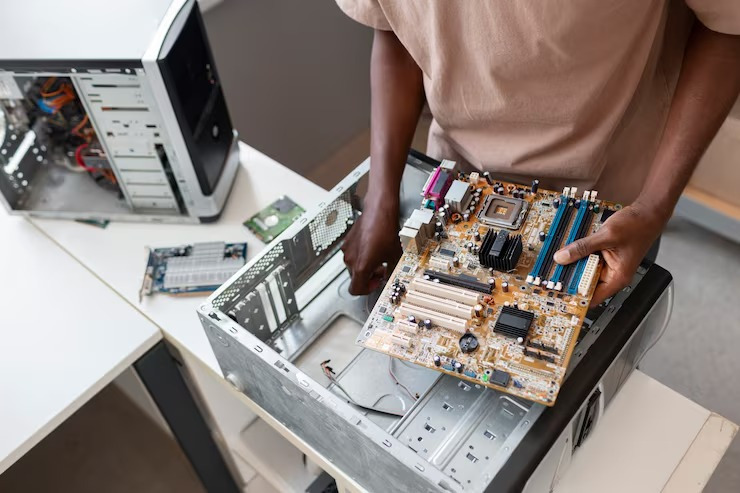
Laptop hinges are vital parts that prevent any damage to the screen while opening and closing your laptop. Due to their constant work, they become broken after several years, and the laptop becomes difficult to open and close. Not paying enough attention to them may cause some serious damage to the screen or casing of your device.
The following guide will show you hinges repair laptop processes carefully, as well as when professional help with screen replacement of laptops might be needed.
Step 1: Analyze the Problem
Before repairing your laptop, you should conduct a thorough examination of your device and assess the extent of its damage.
The most common signs include:
● Loose hinges
● Unusual cracking sounds during opening/closing the laptop lid
● Separation of the screen bezel and case
● Screen flicker caused by pressing its connectors
● Screen movement inconsistencies
However, if your display itself gets damaged as a result of the failure of the hinges, then you may have to order HP Laptop screens replacement as well.
Step 2: Turn Off and Unplug the Laptop
Ensure that safety is a top priority. Turn off the laptop and unplug:
● Laptop charger and other cables
● External accessories
● Battery (if detachable)
This ensures there won’t be an accidental short circuit while carrying out the repairs.
Step 3: Collect Necessary Repair Tools
Professional repair cannot be achieved without having the necessary equipment. Collect:
● Set of precision screwdrivers
● Plastic tools
● Tweezers
● Small amount of glue or epoxy
● New hinge if needed
● Cloth for cleaning
Inappropriate use of tools will create even more damage to the housing of the screen.
Step 4: Remove Laptop Bezel Correctly
Bezel refers to the plastic casing covering the display screen. The bezel should be pried apart using a plastic tool.
Removing the bezel involves:
● Use of moderate force
● Organization of screws
● Search for any other clips and screws covered in rubber
It helps in accessing the hinges to see if the problem is due to loose screws or broken mounting points.
Step 5: Tighten or Replace the Hinges
Having located the hinges, check them carefully.
In case of loose hinges:
● Make sure all screws are tight
● Check metal brackets for misalignment
● In case of broken hinges:
● Install new ones that fit perfectly
● Both left and right hinges should operate smoothly
This is the crucial step of the entire hinges repair laptop procedure since incorrect alignment can put pressure on the display.
Step 6: Check the Screen and Internal Cables
The impact of the damage to hinges on other parts of a laptop might be considerable; for example, ribbon cables connecting the screen and other elements. Look at:
● Ribbons
● Connectors
● Frame of the screen
Any signs of cracks, black spots, or even display malfunctions indicate the need for HP Laptop screens replacement.
Conclusion
Fixing the hinges of a laptop is a difficult job that demands focus and patience. Otherwise, you might end up causing more problems. If you are quick to fix these things, you will not only save your display but also the rest of the laptop like casing and other elements. And when it comes to the impact on the display, only both of these two things done together will be really effective.
.webp)


.webp)